
Rethinking Storage: A Practical Guide to Smarter Workplace Lockers
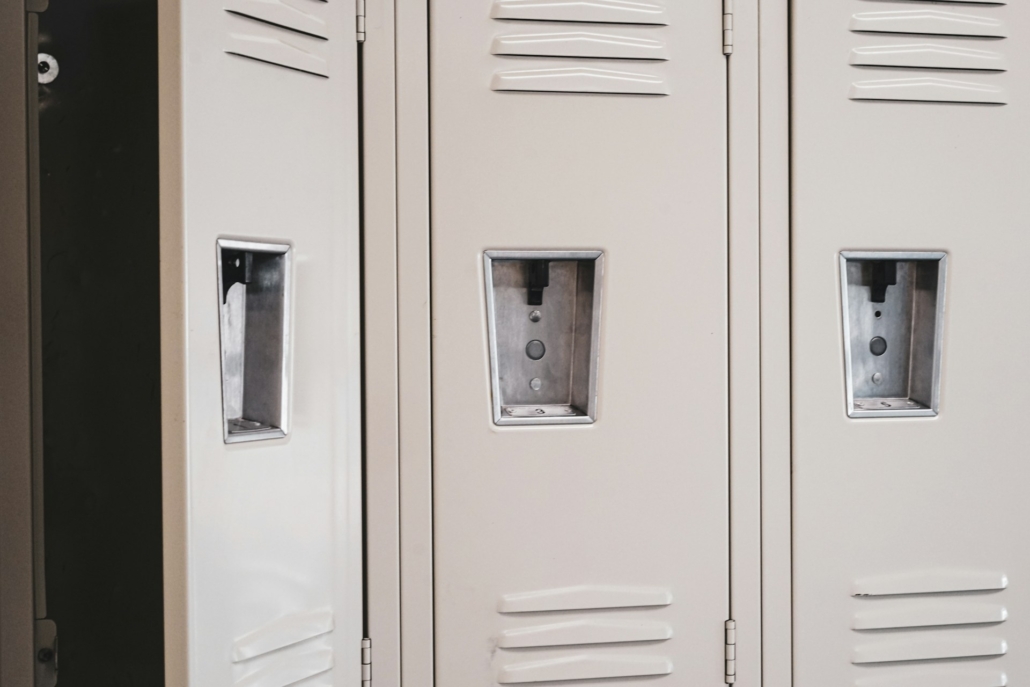
Office storage rarely gets attention until it becomes a problem. Overflowing coat closets, missing IT equipment, and confusion over who owns which cabinet key are all signs that a workplace has outgrown its storage setup.
As hybrid work models and shared desks become the norm, businesses need corporate storage solutions that adapt just as quickly as their teams do.
This is where a well-designed office locker system earns its place as a core piece of workplace infrastructure rather than an afterthought. Modern lockers do far more than hold coats and bags. They support hybrid work policies, protect valuable equipment, and give facilities teams visibility into how space is actually being used.
This guide walks through what today’s smartest workplaces are doing to modernize storage, from choosing the right access methods to using data for smarter space planning. Whether you’re managing a single office floor or a multi-site global footprint, these principles apply.
Why Traditional Storage No Longer Meets Workplace Demands
For decades, office storage meant a metal cabinet, a key, and a hope that nobody lost it. That model worked when employees had permanent desks and predictable schedules. It doesn’t hold up in today’s flexible work environment.
Several shifts have exposed the limits of traditional storage:
- Hybrid schedules mean fewer employees need a locker every single day, but more employees need occasional access.
- Shared equipment, from laptops to specialized tools, requires accountability that a shared key simply can’t provide.
- Security expectations have risen, with organizations needing audit trails rather than a best guess about who accessed what and when.
- Space costs continue to climb, making it harder to justify rows of underused, permanently assigned cabinets.
Without a system that tracks usage, facilities managers are left guessing about how many lockers they truly need or whether current storage is even meeting employee needs. This lack of visibility makes long-term planning difficult and often leads to overspending on redundant storage.
What Makes a Locker System “Smart”
A smart locker system replaces manual key management with digital access and centralized oversight. Instead of a single key tied to a single locker, employees typically authenticate through methods such as:
- Badge or RFID card
- Mobile app
- PIN code
- QR code
- Biometric verification
This flexibility matters because different roles and environments call for different access needs. A shared office might rely on QR codes for visitors, while a secure IT storage area might require biometric or multi-factor authentication.
Beyond access, the “smart” element comes from centralized data. Every interaction, whether it’s an employee opening a personal locker or an IT technician retrieving shared equipment, generates a digital record.
That data becomes the foundation for better office asset management, giving administrators a clear picture of usage patterns without manual tracking or spreadsheets.
Matching Locker Access to How Your Workplace Actually Operates
Not every locker in an office needs to function the same way. The most effective deployments match access type to actual use case rather than applying one policy across the board.
Assigned access works well for employees who need consistent, personal storage day after day. This model mirrors the traditional locker experience but with digital security.
Flexible or shared access suits hybrid teams. Rather than reserving a locker for someone who’s only in the office two days a week, flexible allocation lets multiple employees use the same unit on different days, reducing the total number of lockers required.
Anonymous or temporary access is designed for short-term needs, such as:
- Visitors storing personal belongings during a meeting
- Contractors needing secure access for the duration of a project
- Parcel delivery and pickup for employees who aren’t at their desk
Configuring these access types correctly from the start prevents the common mistake of over-provisioning permanent lockers when a flexible model would better serve a changing workforce.
Integrating Storage With Existing Workplace Systems
A locker system that operates in isolation creates extra administrative work. The more valuable approach connects lockers directly to systems your organization already relies on, including HR platforms, building access control, Active Directory, and single sign-on (SSO) solutions.
This integration matters most at two critical moments in the employee lifecycle:
- Onboarding: New employees can be automatically provisioned with locker access as part of their standard IT and HR setup, removing the need for manual assignment.
- Offboarding: When an employee leaves, access can be revoked automatically, with notifications triggered for locker clearance and admin overrides available for retrieving contents.
This kind of integration reduces reliance on reception staff or facilities teams to manually manage access changes, freeing them to focus on higher-value work while maintaining accurate, real-time records.
Using Locker Data to Improve Workplace Efficiency
One of the most underused advantages of a digital locker system is the data it generates. Every locker interaction, whether an employee retrieving a device or a parcel being collected, contributes to a broader picture of how storage is actually used across a facility.
This data can directly inform space planning decisions:
- Occupancy rates reveal whether current locker counts match real demand.
- Peak usage times help identify bottlenecks, such as a rush of activity right before daily standups or shift changes.
- User activity patterns support compliance reporting and internal audits.
- Asset movement tracking helps organizations account for shared equipment like laptops, badges, or specialized tools.
Rather than relying on assumptions or periodic manual audits, facilities and IT teams can make data-backed decisions about where to add, reduce, or reconfigure storage. This directly supports workplace efficiency, since resources are allocated based on actual behavior rather than guesswork.
Planning a Locker Rollout That Scales With Your Organization
Deploying a locker system across a single floor is a different challenge than rolling one out across a multi-site or global organization. Successful implementations tend to share a few common characteristics.
Start with a clear use-case inventory. Identify every distinct storage need in the building, from employee personal storage to visitor belongings, parcel handling, and shared IT assets. Each use case may call for a different locker size, material, or access method.
Choose modular hardware. Lockers that support varied sizes, finishes, and configurations make it easier to adapt as departments grow or office layouts change, without needing a full system replacement.
Prioritize centralized management. For organizations with multiple offices, the ability to manage access, monitor usage, and update permissions from a single platform significantly reduces administrative overhead compared to managing each site independently.
Build in security from day one. Look for systems built around recognized standards, such as ISO 27001 certification, end-to-end encryption, and role-based access controls, particularly if lockers will store sensitive equipment or documents.
Plan for change, not just current needs. Whatever configuration works today may not fit in two years. Systems designed with upgradeable electronics and flexible configurations tend to hold up better as workplace policies continue to evolve.
Building a Storage Strategy That Grows With Your Workforce
Office storage has quietly become a strategic consideration rather than a facilities afterthought. As hybrid work, shared equipment, and security expectations continue to reshape how offices operate, the businesses that plan proactively will avoid the costly cycle of over-provisioning, under-tracking, and constant reconfiguration.
The most effective approach starts with understanding your organization’s actual storage patterns, choosing access methods that match real employee behavior, and selecting a system flexible enough to scale as needs change. Organizations that treat storage as a data-informed, integrated part of their workplace strategy will be better positioned to support their teams, protect valuable assets, and make smarter space decisions for years to come.
